 maskwire
Sign in ↗
maskwire
Sign in ↗ Sender rewriting and alias-reply restoration, explained
If you run a catch-all domain, you already know the annoying part: your mail client has no idea which alias a message arrived on, so replying from it sends from your one configured address instead. These two features exist to fix that, and to handle a related but separate case: addresses you want rewritten on a schedule rather than a reply.
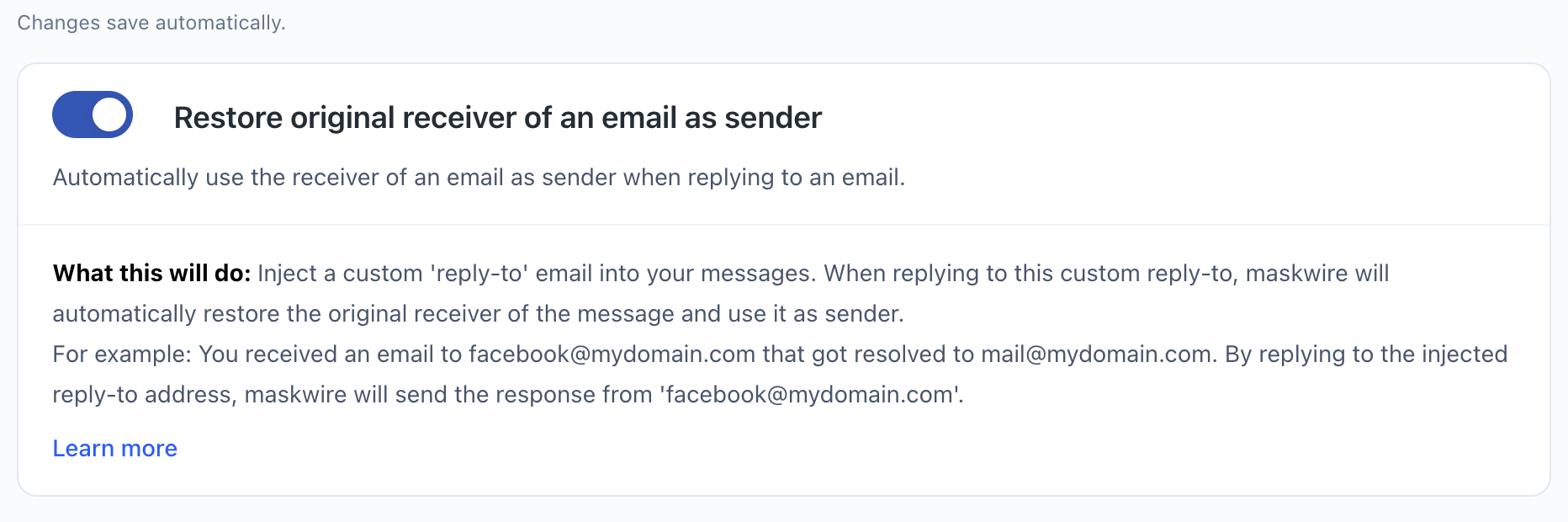
Alias-reply restoration
Say your domain is a catch-all, and a signup form sent its confirmation to
[email protected]. You hit
reply. Without Maskwire, your client sends that reply from whatever address it's
configured with, and the alias the message actually arrived on is gone from the
thread.
Maskwire watches for this: when you reply to a message that came in on one of your
configured alias domains, it rewrites the outgoing From
header so the reply leaves under the alias it arrived on, not your primary address.
It only looks at the To header
to find that alias, so a message where the alias is only on
Cc or
Bcc won't trigger restoration.
It's also off by default: turn on "Restore original receiver of an email as sender"
in your Toolbox first.
# Message arrives on your catch-all alias
To: [email protected]

# Without Maskwire, your reply goes out as:
From: [email protected]

# With alias-reply restoration enabled:
From: [email protected]
This works reliably for the common case: a message addressed to a single alias of yours. If the original message had more than one recipient, restoration can pick the wrong one to reply from, since it doesn't specifically track which recipient was the alias that matched. The rewrite happens inside the proxy after you hit send, so your client's compose window won't show you which address actually goes out; there's no way to check beforehand. Until that's fixed, treat replies to multi-recipient threads on an alias as unreliable.
Static sender rewriting
This is a separate feature: a list of from-to address pairs you configure directly,
rather than something derived from which alias a message arrived on. It's built for
cases like a throwaway address you want to roll over automatically, using
$dd$, $mm$, and
$yyyy$ placeholders that get
swapped for the current date, or simply forcing a fixed alternate identity whenever
you send from a given account.
The date gets resolved once, when your mail client opens its connection to Maskwire, not fresh for every message, and it's the proxy server's date, not necessarily the date where you are. If your client keeps that connection open across midnight, messages sent after the rollover still use the date the connection was opened until it reconnects.
A note on headers
Rewriting the From header
changes what your outgoing message claims, but Maskwire still sends it through your
connected upstream account, and Maskwire itself doesn't check whether that account
is allowed to send as the address you're rewriting to. Most providers reject a
send from an address they don't recognize as yours, but not all of them do, so
don't rely on a rejection to catch a mistake here. You need to be able to send
from the rewritten address in the first place, whether that means it's a verified
alias on your provider or a domain your provider lets you send as.
Ready to try it?
One feature is free forever. All of them are $3/month.